Login
Login
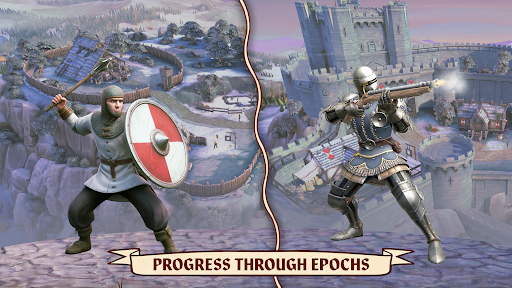
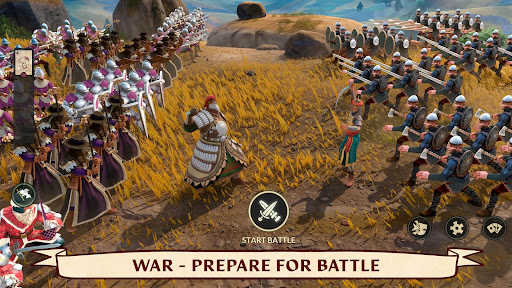
Dawn of Ages is one of the best Mobile Games you can play on mobile, PC or tablet and have lot of fun.
Introduce About Dawn of Ages
If you love historical strategy games where you build medieval castles, equip knights with authentic gear, and command armies in auto-battler tactical warfare, this game will grab your attention immediately. Unlike fantasy strategy games filled with dragons and magic, it focuses entirely on real-world medieval warfare, historical empires, and tactical unit counters.
What makes this game so appealing is its mix of kingdom management, gear crafting, and strategic formation planning. Whether you want to conquer single-player story campaigns on your phone, manage resource structures on a tablet, or enjoy full cross-platform play using a PC emulator, it delivers a deeply satisfying tactical loop. In this guide, we will break down what makes the game special, analyze its hardware performance, look at its technical details, and walk through full installation steps.
Table of Contents
Quick Navigation
What is Dawn of Ages
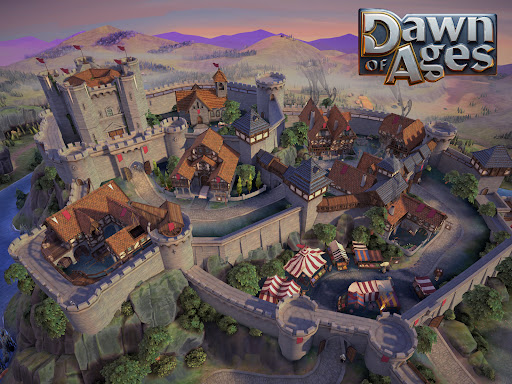
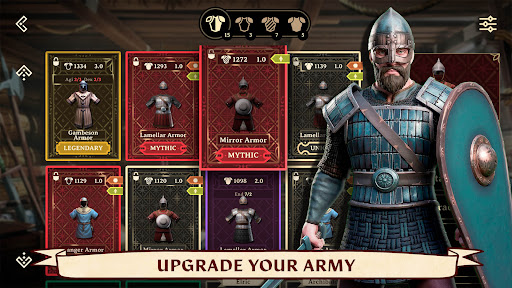
Dawn of Ages is a medieval strategy and auto-battler game developed by Stratosphere Games and published by BoomBit. The game tasks you with establishing a stronghold, upgrading your central town hall, gathering resources, and forging weapons to equip your soldiers. You choose from historical factions like the Franks, Vikings, or Anglo-Saxons, each bringing unique unit bonuses and visuals to the battlefield.
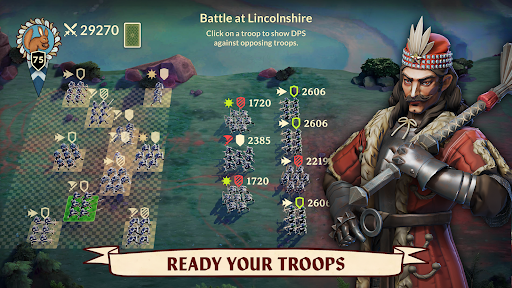
The best thing about Dawn of Ages is its realistic combat system, which relies on a weapon-and-armor effectiveness triangle rather than fantasy spells. Swords deal bonus damage against light armor, spears counter medium targets and cavalry, while blunt warhammers crush heavy infantry. Before each battle begins, you carefully position your squad formations and pick tactical bonus cards to turn the tide of war.
When I tested the game on a 2GB RAM phone, I noticed that navigation around town buildings was smooth, holding close to 30 FPS, though dense 3D combat encounters required lowering graphic shadow details. On mid-range devices with 4GB to 6GB RAM or on a PC emulator, the game effortlessly locked into a clean 60 FPS with sharp metallic armor textures and detailed environmental lighting.
Loading times are fast, taking roughly 3 to 5 seconds to jump from your castle screen straight into campaign battles. The touch controls rely on simple tap-and-drag mechanics for positioning unit tiles and selecting crafting items. The AI handles formation clashes logically based on weight and weapon reach. Combat sound effects deliver weighty sword clashes and shield thuds, accompanied by an epic orchestral score. Battery usage stays around 13% to 16% per hour, making it efficient for managing hourly upgrades and daily quests.
Overview of Dawn of Ages
Here is a quick overview showing key technical specifications and publishing details for players verifying device compatibility:
| Detail | Information |
|---|---|
| Game Name | Dawn of Ages: Medieval Strategy |
| Developer | Stratosphere Games |
| Publisher | BoomBit |
| Platform | Android, iOS, PC (Steam / Epic Games) |
| Genre | Medieval Strategy / Auto-Battler / Base Building |
| Publish Date | April 28, 2025 (Cross-Platform) |
| Mode | Single-Player Campaign / Online PvP |
Steps to Download and Install Dawn of Ages on Android
Setting up this medieval strategy game on your Android phone, tablet, or emulator environment is straightforward. Follow these practical steps to complete the installation:
First, download the required setup files onto your internal storage or SD card. Ensure your device has at least 2 GB of available free storage space to handle extra game updates and patch data.
Second, if your downloaded file arrives inside a compressed archive, open a file extraction app such as ZArchiver to extract ZIP or 7Z archives. Once uncompressed, locate the extracted folder containing data assets and move files to the correct folders inside your device directory (such as Android/obb or Android/data).
Third, open your file manager, locate the extracted setup application, and install the APK (if needed). If your security system displays a warning prompt, open system settings and allow installation permissions from unknown sources.
Fourth, if you are setting up the game using a handheld or PC emulator environment, open your software interface to load the ISO or package file directly. If you wish to import save data or import textures from a previous backup, paste those saved profile files straight into the target save directory within your emulator root folder.
Finally, tap the icon on your screen to launch the game. Accept basic storage and network permissions during the first boot so your kingdom progress saves properly to cross-platform servers.
Download Dawn of Ages for Android
Download Dawn of Ages to take command of historical medieval armies and build a powerful empire right from your mobile device. Having this game installed gives you instant access to deep tactical auto-battles, historical gear customization, and rewarding castle management whenever you want to play. Its focus on realistic combat mechanics and cross-platform flexibility makes it an essential pick for strategy enthusiasts.

Additional Information
- Version 2.23.1.4
- Size 954 MB
- Requires Android 8.0
- Update 2026-07-24
- Developed by BoomBit Games
- Category Mobile Games Review
- Package Name com.stratospheregames.miniciv
Whats news
Hail, noble ruler! New challenges and greater glory await:
– Improved player segmentation and leaderboard balancing for fairer competition and more meaningful progression
– 2 New Mythic Perks
– Answer the King’s Request in a limited-time event and earn valuable rewards for your loyalty
Your kingdom awaits its next great victory. Rally your forces and claim your place among legends!