Login
Login
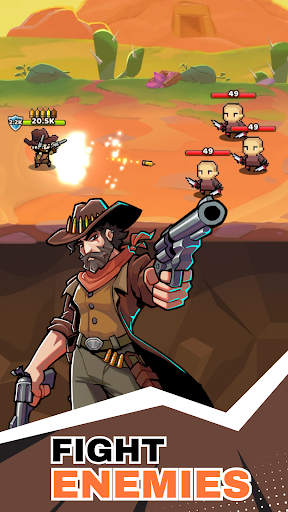
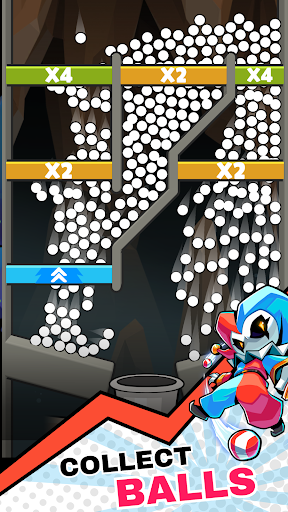
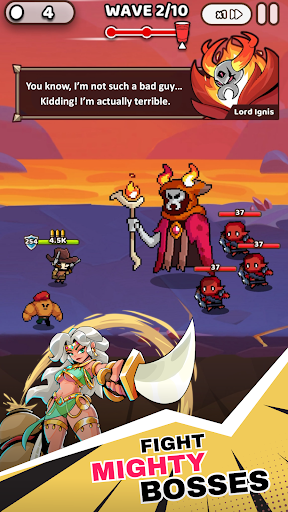
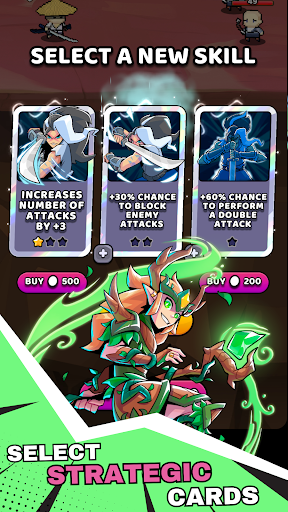
Cup Heroes is one of the best Mobile Games you can play on mobile, PC or tablet and have lot of fun.
Introduce About Cup Heroes
If you enjoy casual arcade action mixed with roguelike RPG elements, this game is an absolute blast to play. Mobile gaming is filled with wave-based battle games, but very few blend physics-based ball drops with hero upgrades as cleverly as this one. You get to lead a team of whimsical heroes, drop multiplier balls into cups, gain powerful buffs, and battle endless hordes of fantasy monsters to rescue a captured queen.
What makes this game so addictive is its fast-paced loops and super satisfying ball-multiplying mechanics. Watching hundreds of balls bounce through pegboards, multiply in real time, and rain down resources to power up your hero mid-battle feels incredibly rewarding. Whether you want a quick 5-minute break on your phone, a relaxing session on your tablet, or a smooth setup using a PC emulator, it delivers fun strategic action. In this full guide, we will explore everything about the game, check real gameplay performance tests, view its specifications table, and walk through easy installation steps.
Table of Contents
Quick Navigation
What is Cup Heroes
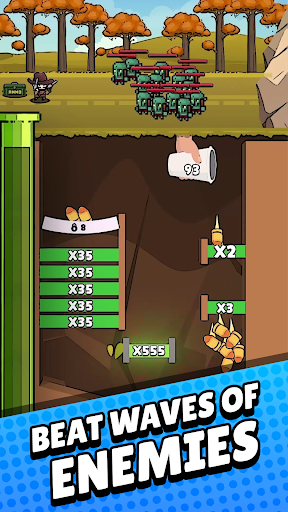
Cup Heroes is an action-arcade roguelike RPG developed by Voodoo. In this game, players control cup-themed warriors such as the Knight Cup or Ninja Cup in a fantasy realm filled with goblins, dragons, and evil bosses. Each level consists of multiple combat waves. Before or during combat waves, a Pachinko-style minigame appears where you drop balls through pegs and multiplier cups. The balls you collect convert directly into mana, coins, and skill points to unlock perks like increased attack speed, fire arrows, health regeneration, and bouncing projectiles.
The best thing about Cup Heroes is how seamlessly it merges ball-drop physics with active roguelike skill choices. You do not just watch your hero attack automatically; your decisions during the ball-drop phase determine how strong your hero becomes for the next wave. Choosing whether to stack critical damage, unlock area-of-effect spells, or boost health leeching gives every run a unique tactical feel.
When I tested the game on a 2GB RAM phone, I noticed that the 2D physics engine handled dozens of bouncing balls on screen effortlessly without severe frame drops. The gameplay stayed around a clean, stable 30 FPS on low-end hardware during intense boss fights with multiple particle effects. On devices with 4GB RAM or higher, as well as on PC emulators, the game easily locks into a smooth 60 FPS with vibrant colors and fluid animations.
Loading times between levels are practically non-existent, taking only 1 to 3 seconds to transition between stages. The controls are simple and responsive, relying on single-finger drag-and-tap mechanics to aim ball drops and select skill cards. The enemy AI scales progressively across waves, forcing you to think carefully about defensive and offensive perk balances. Sound design is upbeat and punchy, with cheerful ball-clinking noises during drops and solid impact effects during sword strikes. Battery consumption is light, burning roughly 8% to 10% per hour, making it perfect for long gaming sessions on the go.
Overview of Cup Heroes
Here is a helpful overview highlighting key technical specs and developer details for players checking device compatibility before getting started:
| Detail | Information |
|---|---|
| Game Name | Cup Heroes |
| Developer | VOODOO |
| Publisher | VOODOO (Mobile) / QubicGames S.A. |
| Platform | Android, iOS, PC (via Emulator), Consoles |
| Genre | Arcade / Roguelike RPG / Casual Strategy |
| Publish Date | February 2024 (Active updates in 2026) |
| Mode | Single-player / Offline Supported |
Steps to Download and Install Cup Heroes on Android
Getting this casual RPG running on your Android smartphone, tablet, or PC emulator is quick and straightforward. Follow these practical steps to complete the installation process seamlessly:
First, download the necessary game setup files onto your internal phone memory or SD card. Ensure your phone has at least 1 GB of free storage space available to comfortably accommodate the core installation and any future game patches.
Second, if your downloaded file comes inside a compressed folder format, open a file manager utility like ZArchiver to extract ZIP or 7Z archives. Once uncompressed, check for any extra asset folders and move files to the correct folders inside your Android storage directory (such as Android/obb or Android/data).
Third, open your device file manager, locate the extracted setup installer, and tap to install the APK (if needed). If your system displays an installation block message, go into your security settings and turn on permission for installing apps from unknown sources.
Fourth, if you are setting up the game using a PC emulator software or custom loader interface, configure your program to load the ISO or package file directly. If you want to import save data or import textures from a previous backup, paste those saved files directly into the target save directory inside your root folder structure.
Finally, tap the icon on your screen or launcher menu to launch the game. Grant basic storage permissions on the initial splash screen so your hero levels, gear upgrades, and stage progress save accurately.
Download Cup Heroes for Android
Download Cup Heroes to enjoy a brilliant blend of physics-based ball drops, hero customization, and addictive roguelike combat wherever you go. Having this game installed on your device gives you instant access to fun tactical battles, satisfying multiplier cascades, and dozens of unlockable hero abilities right at your fingertips. Its lightweight design guarantees smooth performance on almost any smartphone, making it a must-have addition to your mobile gaming library.

Additional Information
- Version 4.1.1
- Size 172 MB
- Requires Android 8.0
- Update 2026-07-24
- Developed by VOODOO
- Category Mobile Games Review
- Package Name com.studio501.cuphero
Whats news
Heroes, v4.1.0 includes a new feature and a wave of bug fixes:
Added – A Skip button for the B&C Ball Phase.
Fixed – Multiple shop and purchase issues.
Fixed – Several gameplay-related issues.
Fixed – Multiple audio and visual bugs.
Fixed – Several localization issues.
Thank you for your support!