Login
Login

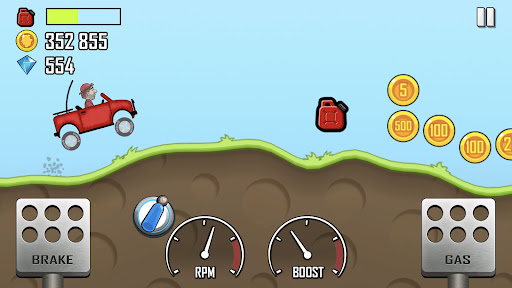
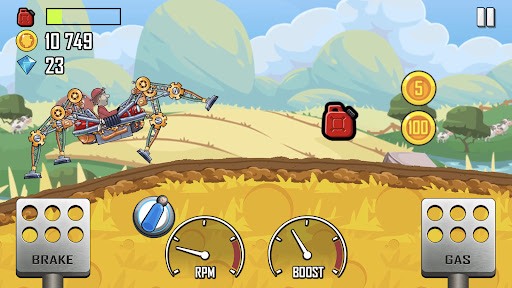
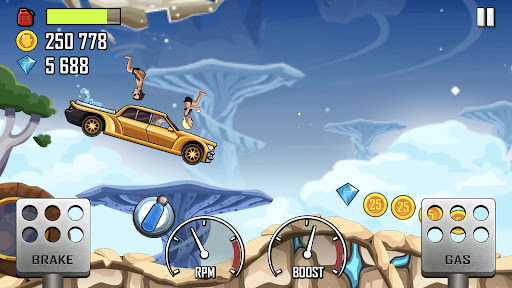
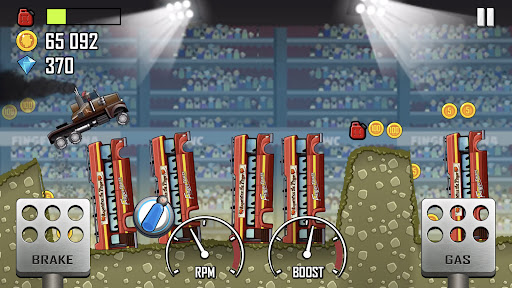
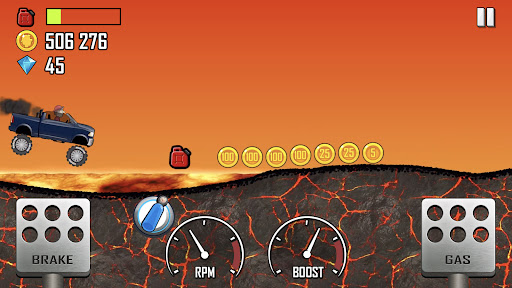
Hill Climb Racing is one of the best Mobile Games you can play on mobile, PC or tablet and have lot of fun.
Introduce About Hill Climb Racing
If you have ever found yourself holding your breath as a tiny yellow jeep balances precariously on the edge of a steep grassy cliff, praying that its neck doesn’t snap backward, you already know the irresistible charm of this iconic physics driver. Hill climb arcade games hold a magical place in mobile gaming history because they take the simplest two-button control scheme and turn it into a thrilling, hilarious battle against momentum and gravity.
What makes this game an absolute masterpiece of casual gaming is its perfect blend of physics-based mechanics, hilarious ragdoll reactions, and rewarding vehicle upgrades. You play as Newton Bill, an ambitious uphill racer determined to conquer unique terrain environments ranging from peaceful countryside hills and slippery arctic ice sheets to the zero-gravity surface of the Moon. Whether you are playing casually on your smartphone, driving on a tablet, or remapping gas and brake controls on a PC emulator, it provides an endlessly entertaining experience. In this detailed review, we will explore its finest features, inspect real hardware performance tests, check system specs, and walk through easy setup steps.
Table of Contents
Quick Navigation
What is Hill Climb Racing
Hill Climb Racing is a legendary 2D physics-based driving game developed and published by Fingersoft. The main goal is to drive as far as possible across rugged, endless stages without running out of gasoline or flipping your vehicle over and breaking Newton Bill’s neck. Along the journey, you collect thousands of shiny gold coins, perform audacious air flips, and gather fuel canisters to keep your engine roaring.
The best thing about Hill Climb Racing is its deep vehicle customization and wide variety of bizarre rides. You are not just limited to standard cars—you can unlock over 30 distinct vehicles, including monster trucks, dirt bikes, quad bikes, hippie vans, snowmobiles, hovercrafts, and even a rocket-powered sleigh. Every vehicle can be upgraded across four core components: engine power, suspension dampening, tire grip, and 4WD traction, completely altering how your ride handles tricky bumps and steep inclines.
When I tested the game on an old 2GB RAM phone, I was amazed by how incredibly lightweight and well-optimized the engine is, holding a rock-solid 30 to 60 FPS without a single stutter. On devices with 4GB RAM or when running through a PC emulator, performance locks into an ultra-smooth 60 FPS with instant screen loading times. Stage transitions and menu navigations take less than 1 second. Touch controls rely on two simple pedals—gas on the right and brake on the left—which also act as air-tilt controls when your vehicle launches off ramps. The simulated physics AI delivers unpredictable, hilarious flips and realistic weight transfer. Audio effects feature roaring engine sounds, crunching suspension springs, and classic coin-pickup chimes, while battery usage is extremely minimal, consuming under 6% to 8% per hour of play.
Overview of Hill Climb Racing
Here is a helpful overview summarizing technical details, publisher credits, and platform support for players verifying system compatibility:
| Detail | Information |
|---|---|
| Game Name | Hill Climb Racing |
| Developer | Fingersoft |
| Publisher | Fingersoft |
| Platform | Android, iOS, Windows, PC (via Emulator) |
| Genre | Physics-based Racing / 2D Arcade |
| Publish Date | September 2012 (Regular updates throughout 2026) |
| Mode | Single-player / Fully Offline Supported |
Steps to Download and Install Hill Climb Racing on Android
Setting up this classic 2D driving game on your Android phone, tablet, or PC emulator environment is quick and simple. Follow these practical steps to complete the installation:
First, download the required game installer files directly onto your device internal storage. Ensure your smartphone or tablet has at least 300 MB of free storage space available to handle the initial package and saved progress files.
Second, if your downloaded package arrives saved inside a compressed folder format, open a file manager app like ZArchiver to extract ZIP or 7Z archives. Once uncompressed, check for any extra resource data folders and move files to the correct folders inside your Android directory (such as Android/obb or Android/data).
Third, browse to your local downloads directory, locate the application package, and install the APK (if needed). If your operating system displays a security warning prompt, open system settings and turn on permissions to install applications from unknown sources.
Fourth, if you are setting up the game inside a PC emulator software program launcher, configure your interface to load the ISO or container package file directly. If you want to import save data or import textures, custom vehicle skins, or backup profiles from an earlier setup, paste those saved files directly into the target directory inside your root path.
Finally, tap the icon on your home screen or emulator menu to launch the game. Grant basic storage permissions on the initial boot so your vehicle upgrades, coin balance, and high scores save properly.
Download Hill Climb Racing for Android
Download Hill Climb Racing to experience one of the most addicting, charming, and satisfying physics driving games ever created for mobile devices. Having this game installed on your phone gives you instant access to endless hill-climbing challenges, dozens of unique vehicles, and offline arcade fun whenever you need a quick break. Its super lightweight footprint, smooth controls, and hilarious gameplay mechanics make it a must-have title for gamers of all ages.

Additional Information
- Version 1.71.0
- Size 126 Mb
- Requires Android 7.0
- Update 2026-07-29
- Developed by Fingersoft
- Category Mobile Games Review
- Package Name com.fingersoft.hillclimb
Whats news
Have you ever wanted even smaller version of hill climb racing?
No?
Well now you have it, may your journey be lucrative.
– Various bug fixes