Login
Login
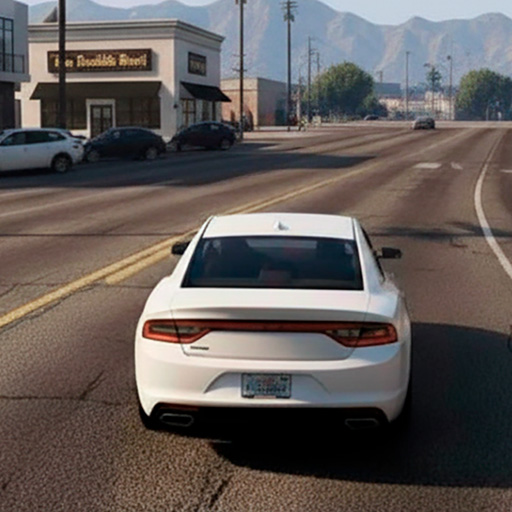
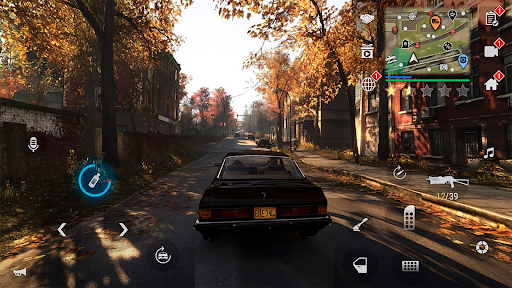
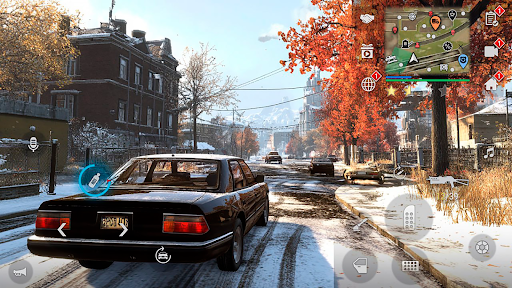
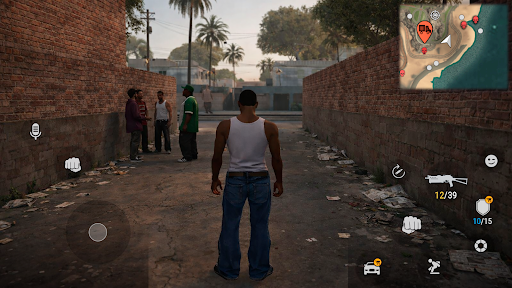
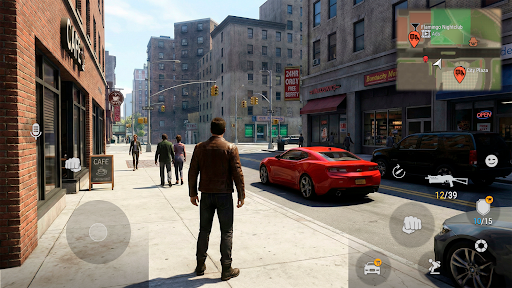
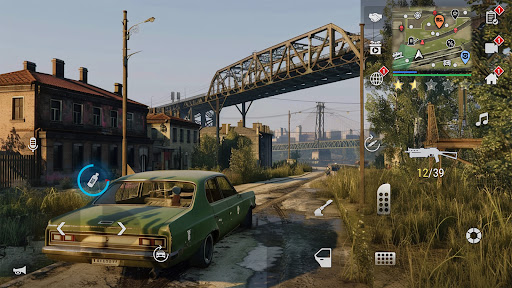
MadOut 2 Grand Auto Racing is one of the best Mobile Games you can play on mobile, PC or tablet and have lot of fun.
Introduce About MadOut 2 Grand Auto Racing
If you love open-world action games packed with high-speed car chases, massive multiplayer lobbies, and pure sandbox chaos, this game is going to grab your attention instantly. Combining full freedom of movement with detailed vehicle physics, it brings an intense street-racing and criminal underworld experience directly to your mobile screen.
What makes this game stand out is its sprawling open-world map, online lobbies supporting up to 200 players simultaneously, and deep car customization options. Whether you want to cruise around with friends on your phone, complete story missions on a tablet, or map customized controls on a PC emulator, it delivers non-stop entertainment. In this guide, we will break down what makes this game so popular, test its real gameplay performance across different hardware, detail its specs, and walk through full installation steps.
Table of Contents
Quick Navigation
What is MadOut 2 Grand Auto Racing
MadOut 2 Grand Auto Racing is an open-world action and racing game developed by MadOut Games. Set in a vast post-Soviet territory, the game lets players explore cities, deserts, and industrial zones freely on foot or behind the wheel. You can choose from over 70 different vehicles, ranging from classic sedans and muscle cars to heavy trucks and armored vehicles. Beyond driving, players can equip various firearms, execute missions, join street racing events, or create custom roleplay matches in massive online rooms.
The best thing about MadOut 2 Grand Auto Racing is the sheer scale of its open-world sandbox paired with realistic vehicle damage physics. Cars crumple, doors fly off, and windshields shatter realistically during high-speed crashes. Furthermore, the extensive vehicle tuning system allows you to adjust engine performance, suspension height, spoilers, and custom paint jobs to make every ride unique.
When I tested the game on a 2GB RAM phone, I noticed that setting the graphics to low and reducing traffic density was necessary to keep performance stable. On low-end hardware, frame rates stayed around 25 to 30 FPS, which is decent considering the scale of the map. On mid-range devices with 4GB to 6GB RAM or on a PC emulator, the game effortlessly ran at 60 FPS on high graphics settings with detailed reflections and shadows.
Loading times are brief, taking roughly 5 to 8 seconds to load the full open world. The touch controls are highly customizable, offering options for tilt steering, virtual buttons, or a steering wheel layout. The enemy AI in mission modes pushes you to stay alert during drive-by shootings and car chases. The sound design features roaring engines, tire screeches, and punchy gunfire, while battery usage ranges between 15% and 20% per hour, which is normal for a rich 3D open-world game.
Overview of MadOut 2 Grand Auto Racing
Here is a quick overview summarizing key technical details and game specifications for players checking device compatibility:
| Detail | Information |
|---|---|
| Game Name | MadOut 2 Grand Auto Racing |
| Developer | MadOut Games |
| Publisher | MadOut Games |
| Platform | Android, iOS, PC (via Emulator) |
| Genre | Open World / Action / Racing |
| Publish Date | March 2017 (Regular updates throughout 2026) |
| Mode | Single-player / Online Multiplayer |
Steps to Download and Install MadOut 2 Grand Auto Racing on Android
Installing this open-world game on your Android device or PC setup is straightforward. Follow these steps to prepare your device correctly:
First, download the required game files onto your internal phone storage or SD card. Ensure your phone has at least 3 GB of free storage space available to accommodate extra game assets.
Second, if the downloaded file is saved inside a compressed archive, open a file extractor program such as ZArchiver. Extract ZIP or 7Z archives directly, then locate the extracted folder containing the main graphics and level data. Move files to the correct folders inside your system path, specifically under the Android/obb directory.
Third, navigate to your file manager, tap the extracted application file, and install the APK (if needed). If your operating system blocks the process, go into your security settings and enable permissions to install apps from unknown sources.
Fourth, if you are setting up the game using an emulator or custom platform loader, open your program interface to load the ISO or package container. If you plan to import save data or import textures from a previous installation, paste those saved files directly into the correct save directory in your system root folder.
Finally, tap the icon on your home screen or emulator menu to launch the game. Grant storage and permission prompts on the initial screen so your online profile and graphics settings save properly.
Download MadOut 2 Grand Auto Racing for Android
Download MadOut 2 Grand Auto Racing to jump right into one of the most thrilling and action-packed open-world games on mobile. Having this game installed on your device gives you instant access to massive 200-player lobbies, extensive vehicle tuning, and freedom to explore a giant map whenever you want. Its robust game engine and impressive physics make it a top choice for any gamer who loves street racing and open-world action.

Additional Information
- Version 20.32
- Size 1.5 GB
- Requires Android 8.0
- Update 2026-07-24
- Developed by MadOut Games LLC FZ
- Category Mobile Games Review
- Package Name com.MadOut.BIG
Whats news
💰Events Car Theft and Lost Cargo: the hunt for prizes begins!
📽�Voice-over for all story missions and Angelina storyline rework
🚗Vehicle upgrade rework: new parts and a new way to obtain them
�Trick score counter: find out who is the best stunt performer!
🌲Map object improvements: destroy, crash, wreak havoc!
6�⃣7�⃣A new cool animation
â›…Weather and time-of-day settings: choose your favorite weather and time of day in settings or drone mode
💎New imports: a new format of guaranteed rewards!